
See it.
Swoop it.
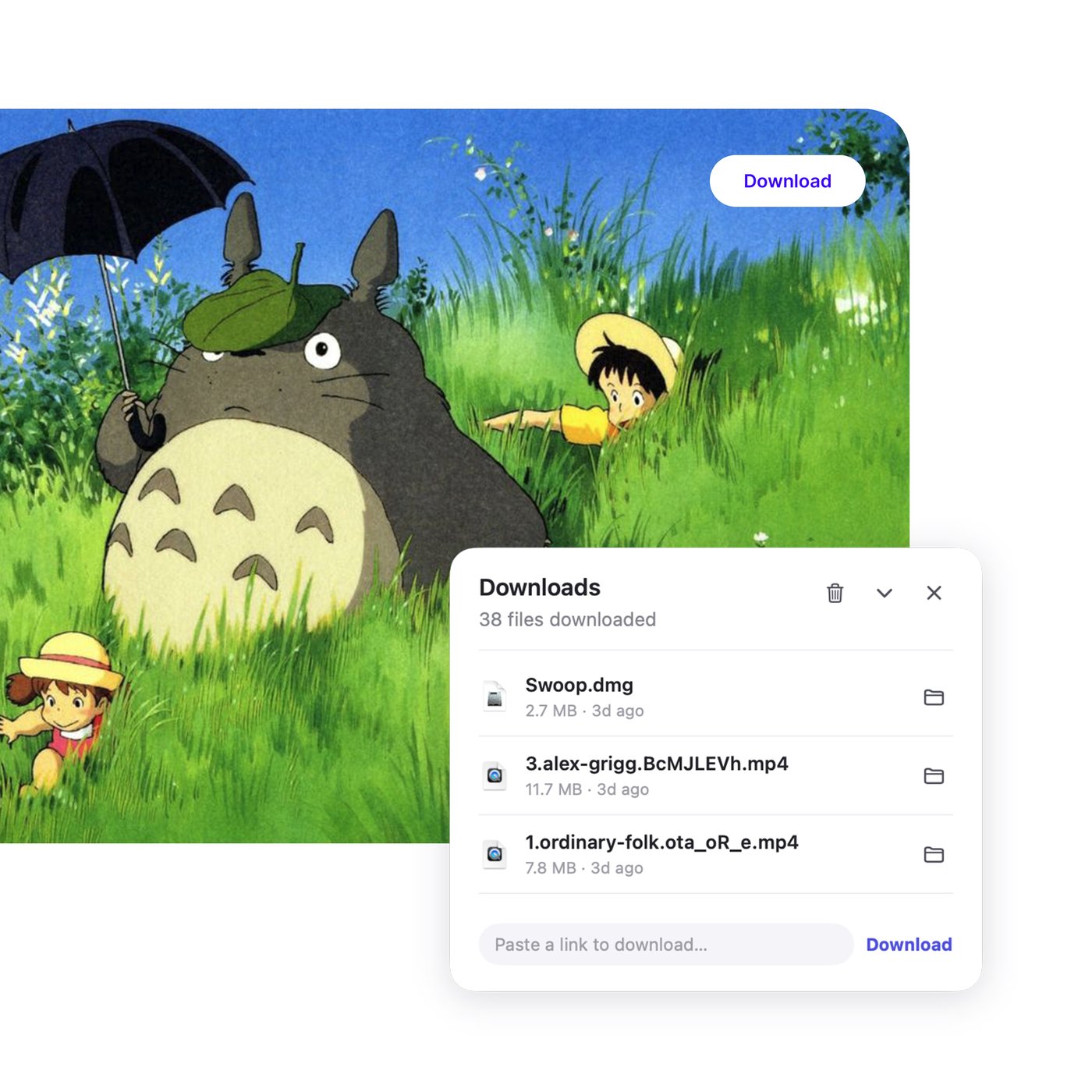
Swoop replaces your browser's default downloader, letting you grab videos and files from any website, including streaming platforms. Downloads open right away on your Mac, with no format headaches.
Universal app for Apple Silicon and Intel Macs, macOS 14+
Everything a browser download can't.
Just hit Download and Swoop handles the rest: fast downloads, original quality, full audio, the proper format, ready to open on your Mac.
Download any video, any file
From direct file downloads to streaming video sliced into fragments, Swoop finds the true source, stitches everything into one complete file, and keeps the quality you chose.
Download right on the player in 1 click
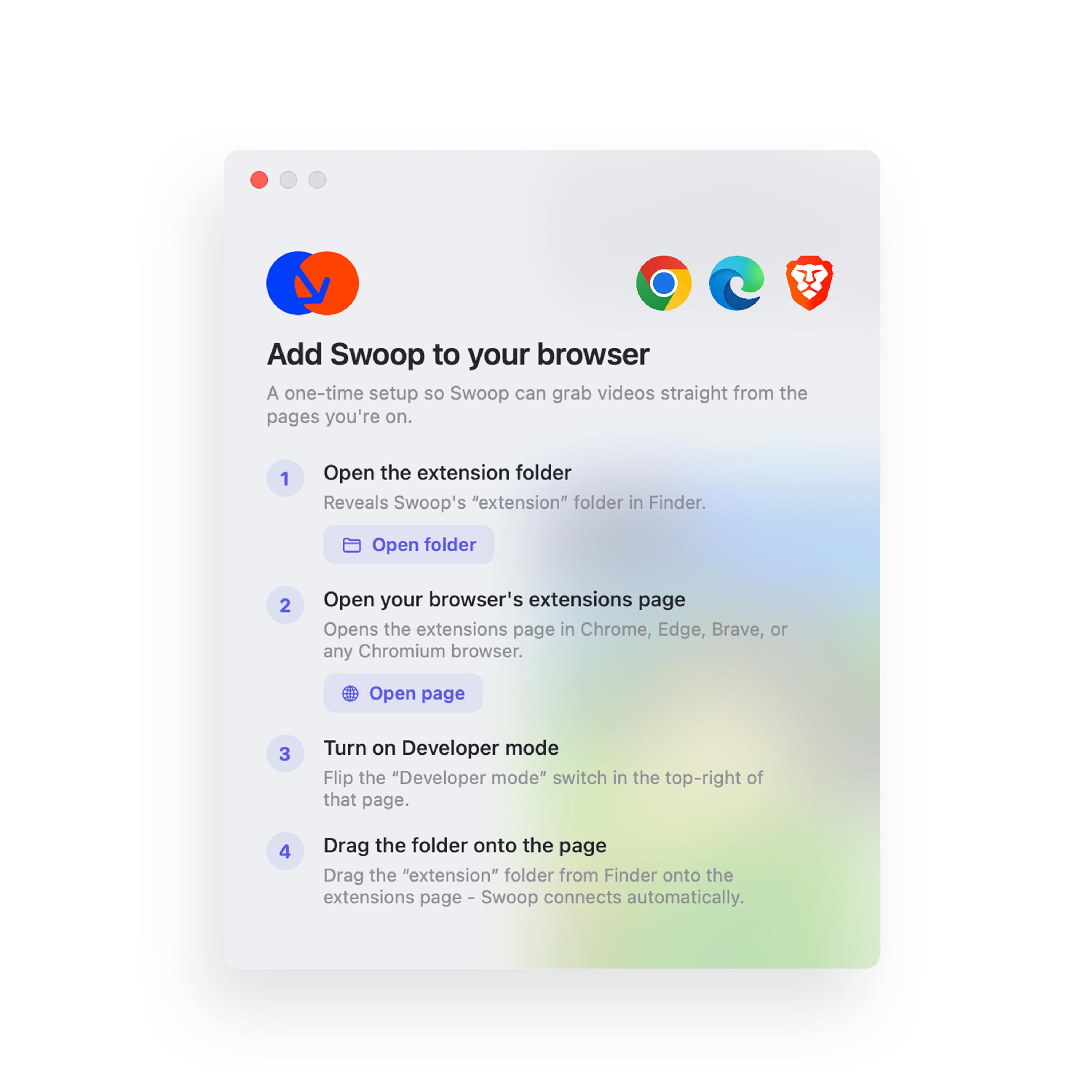
A Download button appears right on the video. Or right‑click anything and choose Send to Swoop. Swoop keeps your browser's login session, so content behind a sign‑in downloads just fine. Works with Chrome, Edge and Brave.
Many times faster
Each file downloads over 8 parallel connections, up to 4 files at once, making the most of your bandwidth. Pause and resume exactly where you left off; failed segments retry automatically.
Converts for instant playback
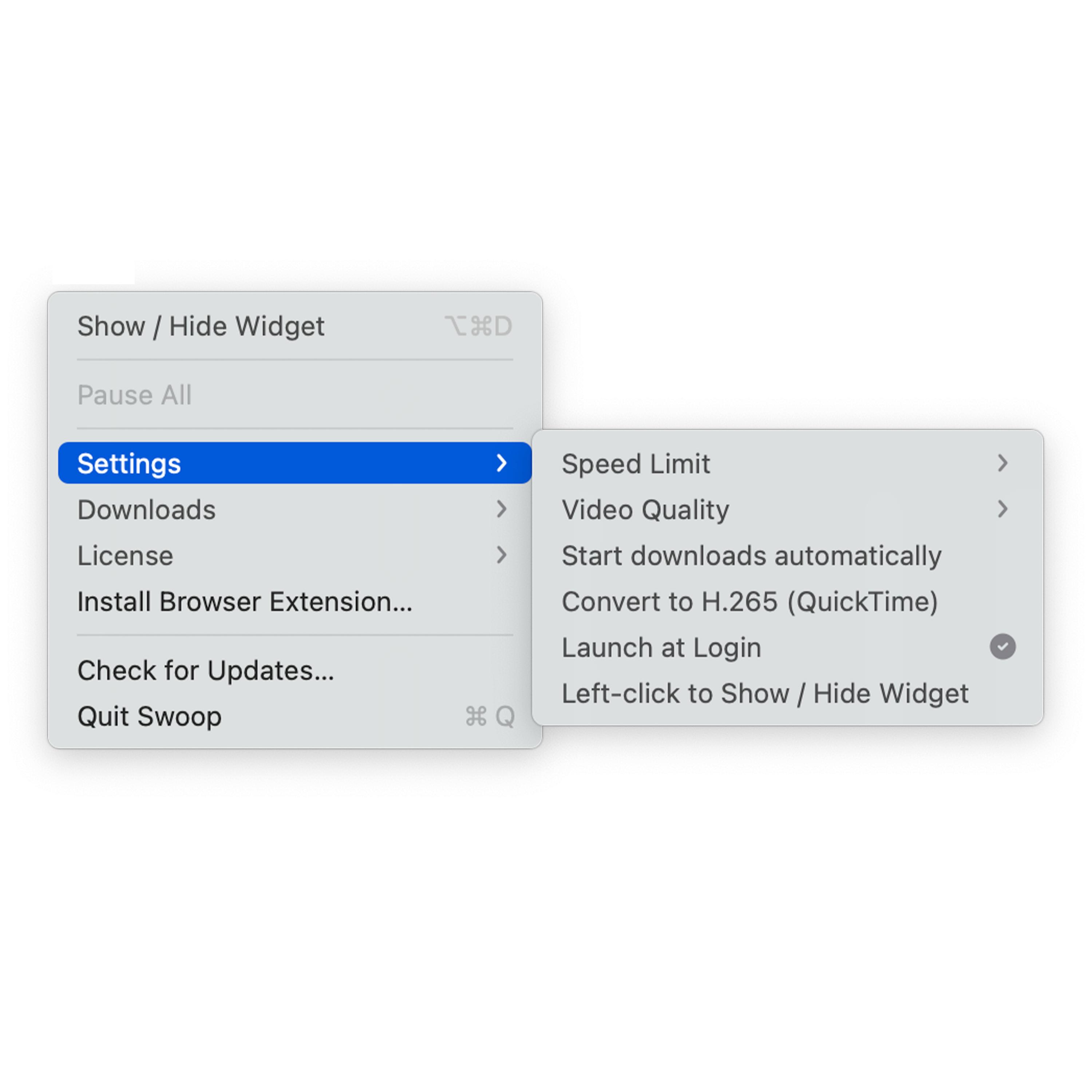
Swoop automatically converts videos QuickTime can’t play to H.265 with hardware acceleration. It lives in your menu bar, runs on every Mac, is notarized by Apple, needs no account, and works fully offline.
Free for life
if you're early.
I built this app to sell, but I figure it's bound to still have flaws somewhere, so I'm keeping it free =)) When I run out of money and the app gets good, I'll start charging - go download it, you have to.
Grab it right now and it’s yours - the deal lasts until I run out of money. Be quick.
Get Swoop free- Yours for life - no payment, ever
- Every feature, unlocked forever
- All future updates included
Try everything before you decide - no strings attached.
Download the trial- No credit card, no account
- Everything a license unlocks
- Enter a key anytime to keep going
- Every feature, unlocked forever
- All future updates included
- Use it on up to 2 of your Macs
Questions, answered.
What can I download with Swoop?
Videos and files you have the right to save - your own uploads, content you're licensed to keep, and media that permits downloading. Please respect each site's terms and copyright.
Which Macs does it run on?
A universal app for Apple Silicon and Intel, macOS 14 (Sonoma) and later. Notarized by Apple and updated automatically.
Is it a subscription?
No. One payment of $9.99 unlocks Swoop for good, including future updates. Use it on up to 2 of your own Macs.
What if it doesn't work for me?
Email support@swoop.io.vn within 30 days of purchase, tell us what went wrong, and we'll make it right or refund you.